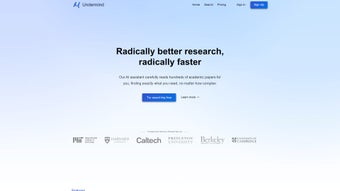

Download Undermind – AI-Powered Academic Research Tool for Windows, Mac, Android & iOS
Revolutionizing Academic Research with AI: Why Undermind Stands Out
In the fast-paced world of academic research, finding relevant, high-quality sources can be a time-consuming and overwhelming task. Enter Undermind, a cutting-edge, web-based AI application designed specifically to transform how researchers, students, and academics approach literature reviews and knowledge discovery. Unlike traditional search engines that return vast, often irrelevant results, Undermind leverages advanced language models to perform a systematic, human-like analysis of academic papers. It doesn’t just retrieve documents—it reads, understands, and synthesizes information based on your specific query, adapting its search strategy as it learns from the content it encounters.
What sets Undermind apart is its ability to mimic the depth and precision of a seasoned researcher. Whether you're exploring the latest breakthroughs in Quantum Computing or diving into the nuances of Artificial Intelligence, Undermind intelligently narrows down the most relevant findings. It continuously evaluates the quality and relevance of each paper, ensuring that you receive focused, accurate, and up-to-date insights. This adaptive learning process means that the more it reads, the smarter it becomes at identifying what truly matters for your research question.
Backed by the Semantic Scholar database, which houses over 200 million scholarly articles, Undermind provides access to a vast and reliable knowledge base. This ensures that your research is grounded in credible, peer-reviewed sources. The tool is subscription-based, offering a free trial so users can experience its full potential before committing. With its emphasis on precision, efficiency, and AI-driven insight, Undermind is not just a search tool—it’s a research partner designed to elevate the quality and speed of academic discovery.
Powerful Features That Streamline Your Research Workflow
Undermind is packed with intelligent features that make academic research faster, more accurate, and less stressful. One of its standout capabilities is context-aware query processing. When you input a research question, the AI doesn’t just match keywords—it understands the intent behind your query, allowing it to extract nuanced information from complex papers. This means you get answers that are not only relevant but also deeply contextual.
Another key feature is adaptive search strategy. As Undermind reads through papers, it dynamically adjusts its search approach based on what it learns. If it detects that all relevant information has been gathered, it stops the search, saving you time and preventing information overload. This intelligent stopping mechanism is a game-changer for researchers who struggle with endless scrolling through irrelevant results.
Undermind also excels in cross-disciplinary analysis. Whether you’re working in neuroscience, computer science, or environmental studies, the tool seamlessly navigates between fields, identifying connections and patterns that might be missed by manual review. Additionally, it offers structured summaries of findings, making it easy to organize your research notes and cite sources accurately. Future updates promise full-text discovery, which will allow the AI to analyze the complete content of papers, not just abstracts and metadata—further enhancing its analytical depth.
- AI-powered, context-aware research queries
- Adaptive search strategy with intelligent stopping
- Access to 200M+ academic papers via Semantic Scholar
- Structured summaries and citation-ready outputs
- Future support for full-text document analysis
- Web-based access with no installation required
Easy Installation, Seamless Usage Across Devices
One of the biggest advantages of Undermind is its web-based accessibility. There’s no need to download or install any software—simply visit the official website and sign up for a free trial. This makes it incredibly easy to use on any device with a modern browser, including Windows, Mac, Android, and iOS. Whether you’re working from a desktop at your university lab, a tablet during a conference, or a smartphone on the go, Undermind delivers consistent performance across platforms.
Getting started is straightforward. After signing up, you’ll be guided through a quick onboarding process that helps you understand how to craft effective research queries. The intuitive interface is clean and distraction-free, designed with researchers in mind. You can save your search sessions, organize results into folders, and export summaries in various formats—perfect for integrating into your research papers or presentations.
For those who prefer a more integrated experience, Undermind is compatible with popular research tools like Zotero and Mendeley. This allows for seamless citation management and document organization. The platform automatically updates its database with the latest academic publications, ensuring your research is always based on current data. Regular updates also improve the AI’s performance, making it smarter with every use. Because it’s cloud-based, your data is securely stored and accessible from any device, giving you the flexibility to work anytime, anywhere.
Compatibility & System Requirements
Undermind is built to be accessible to researchers across all major operating systems. It runs natively in modern web browsers such as Google Chrome, Mozilla Firefox, Safari, and Microsoft Edge. This means you don’t need to worry about compatibility issues—whether you’re using a Windows PC, a Mac, an Android tablet, or an iOS device, you’ll have full access to all features.
There are no specific hardware requirements, as the processing is handled on Undermind’s secure cloud servers. This ensures smooth performance even on older or less powerful devices. The tool is optimized for fast loading and responsive interaction, so you can get results in seconds, not minutes. For users who prioritize privacy, Undermind employs end-to-end encryption for all data transmissions and stores user sessions securely.
Additionally, the platform supports multiple languages, making it a valuable resource for international researchers. With no local installation required, Undermind is ideal for shared workstations, university labs, or collaborative research teams. Its cloud-first design ensures that updates are rolled out automatically, so you’re always using the latest version without any manual intervention. This makes it a reliable, future-proof solution for academic research in a digital age.
Pros and Cons: Is Undermind Right for You?
Pros
- Advanced AI that mimics human research behavior
- Access to 200 million+ scholarly papers via Semantic Scholar
- Adaptive search with intelligent stopping to avoid overload
- Web-based—no installation, works on Windows, Mac, Android, iOS
- Structured summaries and citation-ready outputs
- Regular updates and future full-text analysis planned
Cons
- Subscription-based; free trial available but not permanent free access
- Relies on Semantic Scholar’s database—may miss some niche journals
- Full-text analysis not yet available (coming soon)
- Web-based access requires stable internet connection
- Advanced features may be overwhelming for beginners
Frequently Asked Questions (FAQ)
Is Undermind free to use?
Undermind offers a free trial to allow users to explore its full capabilities. After the trial, a subscription is required to continue using the tool. The subscription model ensures ongoing access to the latest AI features, database updates, and support.
Can I use Undermind on my Android or iOS device?
Yes, Undermind is fully compatible with Android and iOS devices. Since it’s a web-based application, you can access it through any modern browser on your smartphone or tablet, making it ideal for on-the-go research.
How does Undermind ensure the accuracy of its results?
Undermind uses advanced language models trained on academic literature and leverages the Semantic Scholar database, which curates peer-reviewed, high-quality research. Its AI continuously evaluates relevance and quality, ensuring that results are both accurate and contextually appropriate.
What makes Undermind different from Google Scholar?
While Google Scholar retrieves documents based on keyword matching, Undermind actively reads and analyzes papers to extract precise answers. It adapts its search strategy, summarizes findings, and stops when all relevant information is gathered—offering a deeper, more intelligent research experience.
When will full-text analysis be available?
Full-text discovery is currently in development and is expected to be rolled out in future updates. This enhancement will allow the AI to analyze the complete content of papers, significantly improving its ability to extract detailed insights.
Conclusion: A Must-Have Tool for Modern Researchers
Undermind is more than just a research tool—it’s a transformative AI companion for academics, students, and professionals in scientific and technical fields. With its intelligent search, adaptive learning, and access to over 200 million scholarly papers, it streamlines the research process like no other. Whether you're writing a thesis, preparing a conference paper, or exploring a new field, Undermind delivers precision, speed, and insight.
Its web-based design ensures seamless access across Windows, Mac, Android, and iOS devices, while the free trial gives you a risk-free way to test its power. While it does require a subscription, the value it delivers in time saved and research quality gained makes it a worthwhile investment.
Download Undermind today and experience the future of academic research. Start your free trial now and take your work to the next level.



.png)



